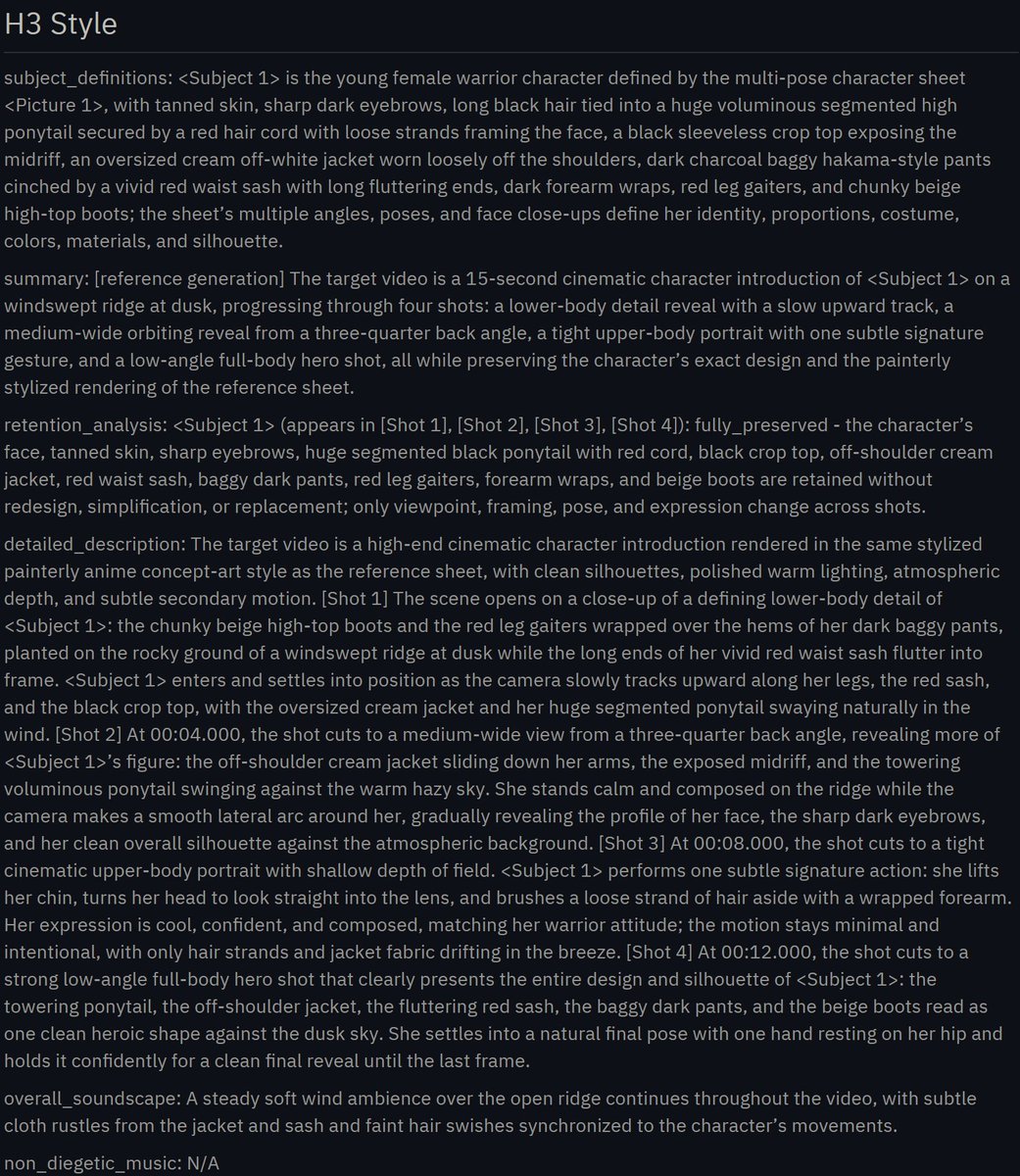
MiniMax H3角色介绍的电影化镜头提示词
用四段式镜头与受控动作,将角色设定转化为15秒电影化介绍视频。
原始内容
MiniMax H3 Character Introduction Prompt: Use @[char ref] as the sole character reference. Preserve the exact identity, face, body proportions, hairstyle, outfit, colors, materials and overall silhouette of the character throughout the entire video. Do not redesign, simplify or replace any defining visual features. Create a cinematic character introduction focused on presence, silhouette, attitude and controlled motion. 0–4s Begin with a close shot of a defining lower-body or detail element such as boots, shoes, feet, hands, clothing hem or an important accessory. The character enters frame or settles into position. The camera slowly tracks upward while hair, clothing and secondary elements move naturally in the wind or environment. 4–8s Reveal more of the body with a medium or medium-wide shot from the back, side or three-quarter angle. The character stands in a calm, composed way inside the environment. The camera makes a smooth orbit, arc or lateral move to gradually reveal the character’s face and silhouette. 8–12s Move into a tight cinematic portrait or upper-body shot. The character performs one subtle signature action that fits their personality, such as lifting the chin, turning the head, adjusting clothing, brushing hair aside, opening a hand, looking toward camera, or shifting posture. Keep the motion minimal and intentional. The expression should match the character’s vibe. 12–15s End with a strong full-body hero shot that clearly presents the entire design and silhouette. Use a low-angle, eye-level or slightly dramatic framing depending on the character’s personality. The character settles into a natural final pose and holds it confidently for a clean final reveal. VISUAL DIRECTION Premium cinematic presentation. Match the visual medium and rendering style of @[char ref]. Emphasize clean silhouette, elegant staging, subtle secondary motion, believable hair and cloth movement, strong composition, atmospheric depth and polished lighting. The scene should feel like a high-end anime, game or film character introduction. CAMERA Use a clear progression from detail reveal to partial reveal to face reveal to full-body hero reveal. Camera movement should be smooth, controlled and intentional. Avoid chaotic motion. ENVIRONMENT Place the character in a fitting environment that supports their identity and mood. The background should enhance the character without distracting from them.
中文译文
机器翻译,保留原文供核对。
@aimikoda(Kōda) MiniMax H3 角色介绍提示词: 将 @[char ref] 作为唯一的角色参考。在整个视频中,严格保持角色的身份、面部、身体比例、发型、服装、颜色、材质和整体轮廓完全一致。不要重新设计、简化或替换任何具有定义性的视觉特征。 创作一段电影感角色介绍,聚焦于存在感、轮廓、态度与受控的动作。 0–4s 以一个具有定义性的下半身或细节元素特写开场,例如靴子、鞋子、双脚、双手、衣摆或重要配饰。角色进入画面或稳定就位。镜头缓慢向上移动,同时头发、衣物和次要元素在风或环境中自然飘动。 4–8s 用中景或中远景,从背面、侧面或四分之三角度展示更多身体。角色以平静、沉稳的姿态站在环境中。镜头进行平滑的环绕、弧线或横向移动,逐步揭示角色的面部和轮廓。 8–12s 转入紧凑的电影感肖像或上半身镜头。角色做一个符合其个性的细微标志性动作,例如抬起下巴、转头、整理衣物、把头发拨到一边、张开一只手、看向镜头或变换姿态。动作保持极简且有意图。表情应与角色的气质相符。 12–15s 以一个强有力的全身英雄镜头收尾,清晰呈现完整设计和轮廓。根据角色的个性,使用低角度、平视或略带戏剧性的构图。角色稳稳定格于自然的最终姿势,并自信地保持住,以完成干净利落的最终亮相。 视觉方向 高级电影感呈现。匹配 @[char ref] 的视觉媒介和渲染风格。强调干净的轮廓、优雅的场面调度、细微的次要动态、可信的头发和布料运动、强有力的构图、环境氛围纵深和精致的光照。场景应感觉像高端动画、游戏或电影的角色介绍。 镜头 使用清晰的推进:从细节揭示,到局部揭示,到面部揭示,再到全身英雄式揭示。镜头运动应平滑、受控且有意图。避免混乱的运动。 环境 将角色置于契合其身份和情绪的环境中。背景应增强角色,而不是分散对角色的注意力。
深度解析
是什么 这不是成片展示或模型评测,而是一份面向 MiniMax H3 的角色介绍视频提示词模板。它把 15 秒内容拆成四个阶段:细节进入、局部揭示、面部特写和全身英雄镜头,形成从悬念到完整呈现的视觉叙事。
核心设计 提示词的重点不是堆砌特效,而是先锁定角色参考图的身份、比例、发型、服装、材质与整体轮廓,再通过镜头路径、姿态变化和有限的标志性动作传递角色气质。它将剪影、构图、景深、灯光、环境、发丝和布料运动等视觉变量组织成可执行的生成约束,并强调平滑、克制、连续的摄影语言。
关键洞察 这套方法的价值在于把角色展示从“让模型自由发挥”转成可控的镜头编排:每个时间段只有一个主要叙事目标,动作服务于性格,环境服务于主体。对于动漫、游戏和影视角色原型,它能帮助创作者快速验证角色是否具备辨识度与镜头表现力。
边界与风险 提示词本身无法保证角色一致性、动作连贯性或发丝布料物理效果,最终质量仍取决于参考素材、模型能力和生成迭代。它也主要解决视觉与动效表达,不涉及 UI、交互流程或产品体验设计。
精选追评与案例
给出官方格式改写与生成结果对照,便于验证提示词兼容性。
@aimikoda This seems to be quite different from the official prompt format requirements, but surprisingly it still works and generates properly after test [at forest] Here's a comparison of the prompt converted into the official format and the generated result for reference [at mountain] https://t.co/FTeuGciyVi
中文译文 · 机器翻译
@aimikoda 这似乎与官方提示词格式要求相当不同,但令人意外的是它仍然有效,测试后能正常生成 [at forest] 这里是对比:把提示词转换成官方格式后的版本,以及生成结果,供参考 [at mountain] https://t.co/FTeuGciyVi
指出 12 秒定格偏长,并给出加入微表情的具体节奏修正。
@aimikoda That 12s hold feels long. In robotics, we call that a stall. Maybe add a micro-expression to keep the loop alive?
中文译文 · 机器翻译
@aimikoda 那个 12 秒的定格感觉太长。在机器人学里,我们把这叫作失速。也许可以加一个微表情,让循环保持鲜活?
提供跨模型实测及角色服装细节丢失的边界案例。
@aimikoda Here is what Grok Imagine comes up with. While pretty, didn't conform to the character precisely, notice the white part of the outfit is missing. Could that be because it sort of blended in with the background in the ref image? https://t.co/baVrhiLVsX
中文译文 · 机器翻译
@aimikoda 这是 Grok Imagine 生成的结果。虽然挺漂亮,但并没有精确遵循角色,注意服装的白色部分不见了。会不会是因为它在参考图里有点和背景融为一体了? https://t.co/baVrhiLVsX
展示真实角色复用效果,并点明动作驱动仍需打磨。
@aimikoda gave it a shot with one of our characters. needs a lil love on driving to not feel so synthetic but night and day difference from what i was doing https://t.co/DQMwCIyIk4
中文译文 · 机器翻译
@aimikoda 用我们的一个角色试了一下。需要在动作驱动上再打磨一下,才不会显得那么像合成的,但和我之前的做法相比已是天壤之别 https://t.co/DQMwCIyIk4
点出用环绕镜头完成露脸比硬切更难,属于关键运镜取舍。
@aimikoda Face reveal through the orbit instead of a hard cut, harder to pull off.
中文译文 · 机器翻译
@aimikoda 通过环绕镜头完成露脸,而不是硬切,这更难做到。